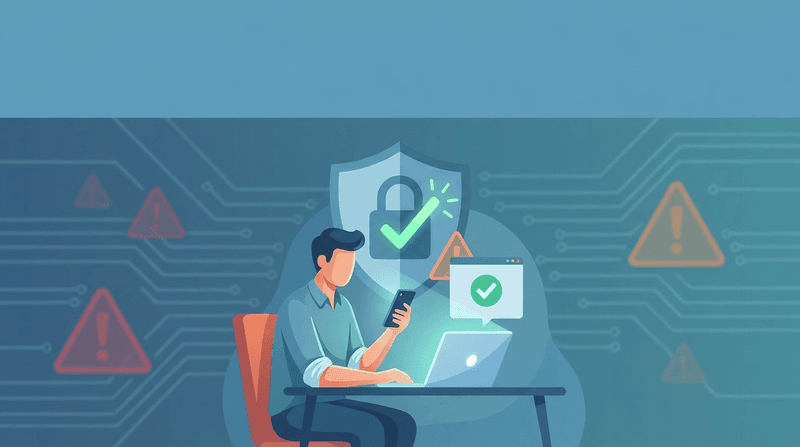
Losing access to your email or social media account feels personal—because it is. Your inbox is often the “master key” to everything else (password resets, receipts, banking alerts, and security notifications). And once a hacker is in, they can impersonate you, scam your contacts, and quietly set up back doors that keep them in even after you change your password.
This guide is designed to help you move from panic to progress in a clear, repeatable way. It’s based on the same practical steps the Federal Trade Commission recommends, plus a few extra “real-world” checks attackers commonly abuse.
First, confirm the signs (so you don’t waste time)
You might be dealing with a hacked account if you notice any of these:
- You can’t log in (password suddenly “wrong”).
- You receive alerts about changes you didn’t make (email, phone number, password, 2FA).
- Messages were sent from you that you didn’t write.
- Friends or coworkers report strange links or “urgent” requests coming from you.
- You see login alerts from unfamiliar devices or locations.
The 30-minute recovery plan (do these in order)
If you only do one thing today: follow this sequence. The order matters.
1) Scan your device before changing passwords
If malware (or a browser hijacker) is sitting on your computer, changing passwords first can be like changing locks while the thief is still inside your house.
- Run a full scan with a reputable antivirus/anti-malware tool.
- Remove or quarantine anything suspicious.
- Update your operating system and browser.
This matters even more as phishing gets more advanced. Tools like Bluekit (an AI-powered phishing kit) are designed to trick people into handing over credentials or session access in very convincing ways.
2) Use the platform’s official recovery flow (not links in emails)
Go directly to the account recovery page for the service you’re locked out of.
- For Google/Gmail: use Google’s official guidance to secure a hacked or compromised Google Account.
- For Outlook/Hotmail/Microsoft: follow Microsoft’s steps to recover a hacked or compromised Microsoft account.
If you’re unsure whether a message is legitimate, practice the “break the channel” habit: don’t click the link you were sent—open the app or type the official site address yourself. That one habit stops a huge percentage of account takeover attempts.
If you want a quick mindset reset, read that message is trying to trick you — here’s how to tell.
3) Change your password (and make it truly unique)
When you regain access, change your password immediately.
- Make it long and unique (a passphrase works well).
- Don’t reuse any password you’ve used anywhere else.
- If you used the same password on other sites, change those too.
If you’re storing passwords in plain text (especially in your phone’s Notes app), fix that today. Here’s why it’s risky and what to do instead: 12 things you should never do to your iPhone.
4) Sign out of all devices (kick the attacker out)
Many services let you log out everywhere. Use it.
Then, review active devices/sessions and remove anything you don’t recognize.
This is a key step in most recovery playbooks, and it’s part of the FTC’s recommended sequence as well.
5) Turn on two-factor authentication (2FA) immediately
2FA (also called two-step verification or multi-factor authentication) adds a second proof step beyond your password.
- Prefer an authenticator app when available.
- Save backup codes somewhere safe.
- Watch for “MFA fatigue” attacks (repeated prompts hoping you’ll approve one).
One crucial caveat: 2FA doesn’t protect you if you’re tricked into typing your code into a fake site. That’s a core reason account takeover scams are rising.
If you want the bigger picture, read account takeover fraud is exploding — here’s how to protect yourself.
6) Check your recovery email + phone number
Hackers often change recovery options so they can regain access later.
- Confirm your recovery email is yours.
- Confirm your phone number is yours.
- Remove anything unfamiliar.
This is one of the most overlooked steps, and it’s exactly how attackers “stick” even after you change your password.
7) Review your account settings for back doors
This is where many people get burned—because everything looks normal once they can log back in.
Look for anything you didn’t set up:
- Email forwarding rules
- Auto-replies (especially ones that leak personal info)
- Connected third-party apps you don’t recognize
- New admin users (for business pages)
The FTC specifically calls out forwarding rules as a common “quiet” tactic because it lets someone keep receiving your messages without needing to log in again.
8) Turn on login alerts and security notifications
Enable notifications that tell you when:
- A new device logs in
- Your password changes
- Your recovery info changes
The goal is simple: shorten the time between “something happened” and “you notice it.”
9) Tell your contacts (and give them a simple script)
Your contacts are the next target.
Send a short message like:
- “My account was compromised. Please ignore any recent messages/links from me.”
- “If you received a request for money or gift cards, it wasn’t me.”
- “Don’t click anything—delete it.”
What to do next (so this doesn’t happen again)
Once you’re back in, take an extra hour to harden your “core” accounts.
Start with email, Apple ID/Google account, and banking
These three categories unlock everything else. If you protect them well, you reduce the blast radius of future attacks.
A simple starting point is this printable page you can keep near your desk: one-page printable checklist to protect yourself from account takeover and modern scams.
Watch out for SIM swap risk (especially for SMS-based 2FA)
If your phone number gets hijacked, attackers can sometimes intercept text message codes.
If you want to reduce how easily your number can be abused (and how much data is floating around), this is a helpful companion read: mobile carriers know everything—here’s how to limit what they share.
Build one “never again” rule: you never share a code
A huge percentage of hacks aren’t technical break-ins—they’re social engineering.
A great example is the kind of scam where criminals trigger real verification messages, then call pretending to be support to talk you into handing over the code. If you’ve never seen that playbook, read the Apple Support scam that uses real Apple emails (and how to beat it).
If money or identity theft is involved
If the takeover led to unauthorized purchases, bank transfers, or identity theft concerns, escalate quickly:
- Report and get a recovery plan at IdentityTheft.gov.
- Use the FTC’s step-by-step guidance: how to recover your hacked email or social media account.
(And if you’re a small business owner, consider temporarily freezing major financial actions—like changing payout accounts or processing large transfers—until you’re sure your email, phone number, and admin accounts are clean.)
A calm final reminder
Getting hacked can feel embarrassing—but it’s incredibly common. What matters is what you do next.
Move in this order:
- Clean your device.
- Recover the account through official channels.
- Change passwords.
- Sign out everywhere.
- Enable 2FA.
- Remove back doors (forwarding rules, connected apps, recovery info).
And if you want a simple daily rule that keeps you out of most trouble: slow down when a message tries to rush you.
Comments
Post a Comment