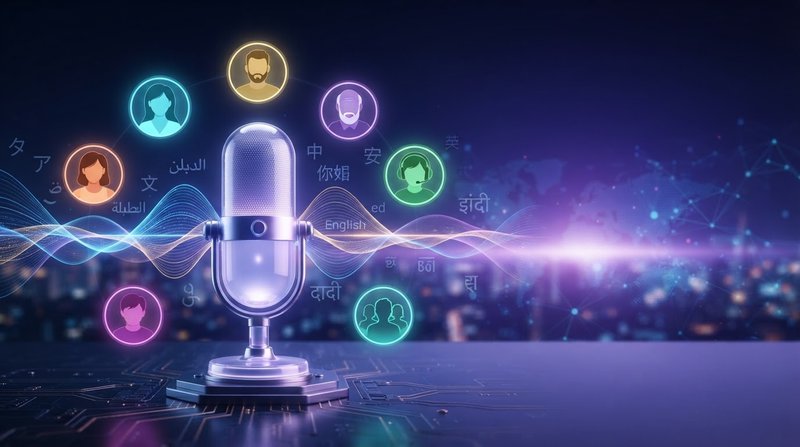
ElevenLabs Guide: Best AI Voice Generator for Text‑to‑Speech, Voice Cloning, Dubbing, and Voice Changer
Optimize your content with natural‑sounding AI narration and professional-quality voice output. This practical guide explains how to use ElevenLabs for text‑to‑speech (TTS), Instant Voice Clone, long‑form productions in ElevenLabs Studio, and advanced tools like Voice Changer and AI Dubbing.
Key takeaways (TL;DR)
- ElevenLabs is an AI voice generator for realistic text‑to‑speech, voice cloning, long‑form narration, podcasts, and multilingual dubbing.
- Fine‑tune delivery with Speed, Stability, Similarity, and Expressiveness controls for human‑like pacing, accuracy, and emotion.
- ElevenLabs Studio manages scripts, characters, multiple voices, and line‑by‑line edits without re‑generating entire projects.
- Voice Changer enables simple voice conversion from existing audio; Dubbing translates and re‑voices while preserving emotion and timing.
- Create downloadable audio and MP3 audio files for videos, websites, courses, and other projects.
What is ElevenLabs?
ElevenLabs is an AI voice platform that converts textual content to lifelike spoken audio, clones voices from short recordings, and supports long‑form projects. Creators use it for YouTube videos, podcasts, audiobooks, training, presentations, and websites.
The platform includes realistic, premium, and custom AI voices for different creative and business needs. With audio auto‑generation, users can turn written content into natural-sounding audio at speed.
How to use ElevenLabs Text‑to‑Speech (TTS)
- Pick a voice by language or accent from the voice library, or use the voice selector to find custom voices.
- Set language and paste your script, then adjust:
- Speed: overall pacing and words‑per‑minute.
- Stability: consistency vs. spontaneity in delivery.
- Similarity: proximity to the reference voice’s timbre.
- Expressiveness: degree of emotion and emphasis.
- Preview, iterate, and export with a single-click export workflow.
Pro tip: Write for the ear—short sentences, clear signposts, and marked pauses improve clarity without heavy editing. This helps enhance voice quality and makes synthesized voice output more natural.

Instant Voice Clone: Create an AI version of your voice
- Record and upload a few samples or a short, clean sample.
- Generate a clone to scale your voice across videos, promos, podcasts, and intros.
- Use ethically and with consent for any voices you don’t own.
Why it helps:
- Keeps brand voice consistent.
- Saves time on retakes.
- Enables localization while preserving tone.
- Creates professional voice-overs and high-quality voice narration at speed.
ElevenLabs Studio for long‑form narration
Use Studio when your project has multiple sections, scenes, or characters:
- Organize scripts by chapter or segment.
- Assign different voices to characters and roles.
- Edit a single line or scene without re‑generating the entire project.
Result: Faster iteration, consistent pacing, and easy fixes in specific sections. Studio is useful for teachers, learners, authors, and teams producing advanced AI voice content.
Advanced features: Voice Changer and AI Dubbing
- Voice Changer: Convert existing audio into a new voice while keeping timing and content. This simple voice conversion is useful for anonymization, brand unification, or refreshing archival recordings.
- Dubbing: Translate and re‑voice video into other languages with preserved emotion and rhythm for global reach.
- Voice Changer and Dubbing can support professional-quality voice output for an AI video generator, social content, and localized media.
Best practices for natural‑sounding AI voiceovers
- Add punctuation and paragraph breaks to control cadence and pace.
- Use emphasis markers or stage directions sparingly where tone is critical.
- Test multiple voices; small timbre changes affect intelligibility and engagement.
- In Studio, iterate locally (section by section) to protect continuity.
- Compare system installed voices, webspeech-api voices, and premium AI voices when choosing the best supported language and style.
- Use modern browsers to preview natural-sounding audio and export audio files efficiently.
Troubleshooting quick answers
- Output sounds flat: Increase Expressiveness slightly; reduce Speed.
- Delivery feels erratic: Raise Stability for more consistent reads.
- Voice doesn’t match tone: Try a different base voice and adjust Similarity.
- Timing is off: Tweak Speed and add line breaks where you want pauses.
- The supported language is unavailable: Check the selected language and try another voice from the voice selector.
FAQ: ElevenLabs for creators
- What’s the difference between TTS, Voice Changer, and Dubbing?
- TTS generates speech from text. Voice Changer transforms existing audio into another voice. Dubbing translates and re‑voices content into new languages while keeping emotion and timing.
- Can I use my own voice?
- Yes—Instant Voice Clone creates an AI version of your voice from a short recording and can help enhance voice consistency across projects.
- Is it good for long projects?
- Yes—ElevenLabs Studio manages long‑form scripts, characters, multiple voices, and targeted edits without re‑generating entire projects.
- What can I make with it?
- YouTube videos, podcasts, audiobooks, training modules, narrated presentations, and downloadable audio for websites.
Glossary of core controls
- Speed: Controls pace; slower improves clarity, faster fits tight runtimes.
- Stability: Higher = steadier delivery; lower = more variation.
- Similarity: How closely output matches the reference voice.
- Expressiveness: Amount of emotion and dynamic emphasis.
- Custom voices: Personalized voices created from recordings or voice designs.
- Spoken audio: Voice output generated from textual content.
Conclusion
ElevenLabs is a versatile AI voice generator that delivers human‑like narration, scalable voice cloning, long‑form production tools, and multilingual dubbing. With the right voice selection and control settings, you can produce clear, consistent, and engaging audio for any format—from quick social clips and podcasts to full audiobooks, websites, and professional voice-overs.
Comments
Post a Comment