Introduction
If you’re about to spend four figures on a new phone or laptop, pause.
For most people, the “latest and greatest” delivers tiny gains at massive markups. And if what you really want is a device that feels fast, lasts all day, and doesn’t stress you out—there’s a smarter move: buy refurbished.
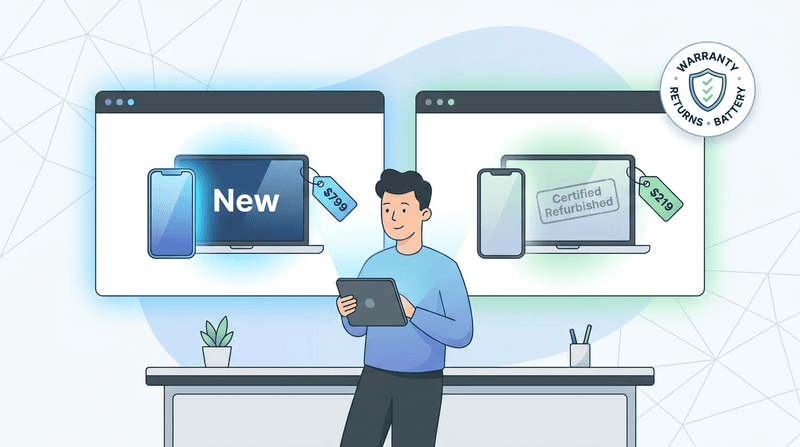
Refurbished tech (when it’s done right) delivers 90–95% of the real-world experience for a fraction of the price. It’s also one of the easiest ways to save money without “downgrading your life”—especially if you’re willing to buy used computers that have been professionally checked and warrantied.
If you want a quick win before you buy anything, start here: these tips to speed up your iPhone and Mac without buying new hardware often make an “old” device feel surprisingly new again.
This guide breaks down why the upgrade treadmill exists, what “refurbished” actually means, how to buy safely, and where the biggest savings usually are (including refurbished laptops online).
Why you feel pressured to upgrade (and why you probably don’t need to)
The consumer tech cycle is engineered to create FOMO.
Every year, launches promise speed, cameras, and AI features that sound revolutionary. But for everyday tasks—messaging, browsing, email, streaming, video calls—the jump from last year’s model to this year’s is often barely noticeable.
You end up paying hundreds more for a processor that’s 15–20% faster on a spec sheet… and imperceptible in daily use.
Before you upgrade, ask yourself:
- Is my device truly slow—or is it storage, battery health, or software bloat?
- Am I paying for one “hero” feature I’ll use twice?
- Would I rather put the money into something that improves my workflow (backup, storage, security, a better monitor)?
If you create content, for example, you may get more value investing in resilient storage and backups than a tiny CPU bump. (If that’s you, this NAS guide for creators is a great “spend smart” alternative to impulse upgrades.)
What “refurbished” actually means
Forget the image of a sketchy, scratched-up device in a random brown box.
Professionally refurbished products—especially from certified programs—are typically:
- Inspected and tested
- Repaired (if needed)
- Securely wiped/reset
- Updated
- Cleaned
- Sold as fully functional
Many are open-box returns, lightly used units, or devices with minor cosmetic issues that couldn’t be sold as “new.”
A good mental model is certified pre-owned cars: the point isn’t perfection; the point is “vetted, functional, and backed by a real warranty.”
For examples of what “certified” looks like in the real world, see:
- Apple’s overview of Apple Certified Refurbished
- Dell’s explanation of Dell Outlet warranty and savings
- Lenovo’s Certified Refurbished devices
Proof you get more for less (real examples)
Refurb wins when you buy yesterday’s premium instead of today’s base model.
Phones: flagship features for “midrange” money
A classic example: a certified pre-owned iPhone “Pro” model from the previous generation can beat a brand-new base model where it counts.
You might get:
- A higher refresh-rate display (e.g., 120Hz)
- Better camera hardware (telephoto lens, larger sensors)
- More premium build materials
Even if the newer base model is technically “newer,” your day-to-day experience (speed, app launches, scrolling) is often extremely close.
Laptops: business-class builds that last
Instead of a new $1,200 plastic consumer laptop, a two-year-old refurbished business or premium model can deliver 80–90% of current performance with:
- Better keyboards and trackpads
- More durable builds
- Better screens
- Better ports
This is also why refurbished laptops online are such a strong play: you can often jump up a whole build-quality tier (and sometimes even consider refurbished desktops for a home office) for the same budget.
If you like the “buy quality once” mindset, check out my take on why the Dell XPS premium comeback actually matters—it’ll also help you spot what’s worth paying for when you’re shopping older models.
Headphones: where diminishing returns hits hardest
Noise-canceling headphones are a sweet spot for refurbished.
A two-generation-old flagship pair can sound “premium” for years. The newest model might improve a few edge cases, but most people won’t hear the difference nearly as much as they’ll feel the savings.

How to buy refurbished safely: a 5-point checklist
Refurbished is only “smart” if you buy from the right place and verify the right things.
1) Warranty first
Look for:
- At least 90 days minimum
- One year is the gold standard (and common with certified programs)
A real warranty usually correlates with real testing—and a higher likelihood you’ll receive quality products, not surprises.
2) Know your seller (and rank them correctly)
Think in tiers:
- Best: manufacturer-certified programs (Apple, Dell Outlet, Lenovo Outlet)
- Good: major platforms with strong refurb standards (for example, Back Market—often searched as back market)
- Okay: established refurb specialists with thousands of verifiable positive reviews (including reputable promo listings like sale - tekrefurbs, when the warranty/returns are clear)
- Skip: vague, unvetted storefronts and “too good to be true” listings
Also, your security depends on this. Untrusted sellers are where scammy listings and shady device histories thrive.
If you want a fast way to reduce your risk of getting tricked online, print this one-page checklist to protect yourself from modern scams and keep it near your desk.
3) Understand cosmetic grades (they’re not standardized)
Grades vary by seller.
In general:
- A / Excellent: close to like-new
- B / Good: minor scuffs, fully functional
Always read the seller’s definitions and return policy.
4) Check battery health (especially on phones)
For phones, aim for 80–85% capacity or higher.
Battery health matters for performance too—some devices throttle under load when batteries are worn.
If you want a quick “don’t ruin your device” refresher before you buy anything used, these iPhone habits that quietly damage battery life and privacy are worth skimming.
5) Demand a real return policy
You want 14–30 days, no drama.
If returns are unclear, restrictive, or buried in fine print, walk away.
Refurbished buying bonus: you can improve security at the same time
Buying a refurbished device is a great moment to do a security reset—especially if you’re a small business owner or you keep sensitive data on your phone.
After you set up a “new-to-you” device:
- Turn on MFA for your email and Apple/Google account
- Use unique passwords with a password manager
- Watch for account recovery traps (phone number changes, fake support calls)
If you want a simple, practical walkthrough, start with these account takeover prevention steps. And if you ever do get locked out, keep this bookmarked: take back control of your hacked account.
One more scam note: refurbished shoppers are frequently targeted with “support” bait. Here’s a real-world example of how convincing it can get, and how to beat it: the Apple support scam that uses real Apple emails.
The hidden upside: sustainability (a real climate win)
Buying refurbished isn’t just frugal—it’s one of the easiest “low-effort, high-impact” sustainability moves you can make in tech.
A large share of a smartphone’s lifetime carbon footprint happens before you ever turn it on, largely from materials extraction and manufacturing.
If you want to go deeper, the GSMA report Rethinking Mobile Phones breaks down lifecycle impacts and shows manufacturing as the dominant share for many devices.
Translation: keeping devices in use longer matters.
FAQs
Will a refurbished device feel slower?
For everyday use, usually not—especially when you choose last year’s flagship versus this year’s base model.
Also, don’t underestimate software tuning. If your current device feels sluggish, try these practical speed fixes for iPhone and Mac before spending a dime.
Is the camera worse?
Year-over-year camera gains are typically incremental.
Last year’s flagship sensor and features often outperform a brand-new mid-tier model.
What about support and updates?
Stick to models still inside the manufacturer’s software support window.
If you’re on Apple hardware, quality-of-life updates can noticeably improve usability (sometimes more than new hardware does). Here’s a recent example: iOS 26.1’s quality-of-life fixes.
Call to action
What’s the best refurbished deal you’ve scored—and from where (Apple, Dell, Lenovo, Back Market, or another source for refurbished laptops online)?
Share your experiences and tips in the comments. Your recommendation might help someone skip an overpriced “upgrade” and get a better device for less.
Conclusion
“New” isn’t a synonym for “better.”
With a careful, checklist-driven approach, refurbished tech can get you premium features, real durability, and meaningful savings—while cutting waste.
Step off the treadmill. Buy smart, not new.
Comments
Post a Comment