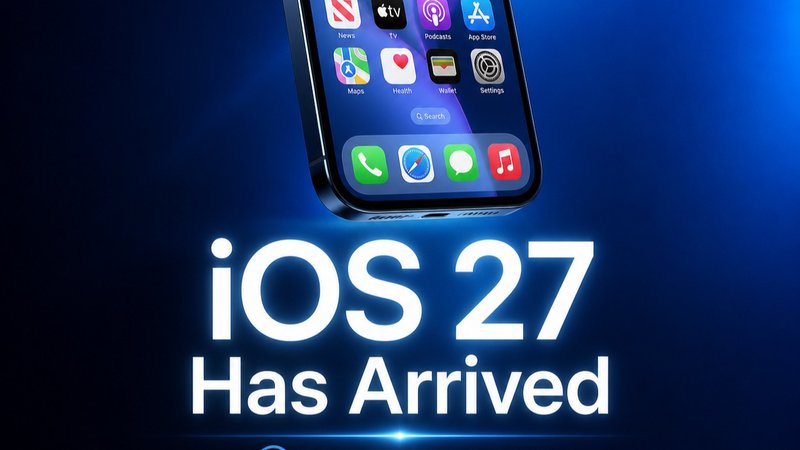
Apple’s iOS 27 update is more than a visual refresh. It introduces the next generation of Apple Intelligence, a new version of Siri called Siri AI, expanded Visual Intelligence, and deeper AI features across the iPhone, iPad, Mac, Apple Watch, and Apple Vision Pro.
The most important change is that Apple’s AI can now understand more of your personal context, what is on your screen, and what your camera sees. However, some advanced features are still in beta, limited by language or region, or subject to daily usage limits.
What is new in iOS 27?
The biggest iOS 27 updates are:
- Siri AI, an entirely new version of Siri
- Visual Intelligence in the Camera app
- More useful Apple Intelligence features across apps
- A redesigned Health app with Insights and Longevity tabs
- New privacy controls and limits for server-side models
- Expanded support for Apple Vision Pro, iPad models, and Mac
- New availability requirements for devices such as the iPhone Air, iPhone 16 models, iPhone 15 Pro Max, and iPad mini
Apple released iOS 27 and its related software updates on September 14, 2026.
Siri AI is the headline feature
Siri AI is Apple’s new conversational assistant. It is designed to understand personal context, recognize what is on your screen, answer questions using broad world knowledge, and take actions across apps.
For example, Siri AI can help you:
- Find information in messages, emails, photos, and other apps
- Understand a document or diagram on your screen
- Resolve calendar conflicts
- Summarize information
- Create or edit text
- Take actions across supported apps
- Answer follow-up questions in a more natural conversation
Siri AI is rolling out in beta in English first. Apple says support for French, Japanese, Korean, Portuguese, and Spanish is expected in October 2026. The new Siri experience is also connected to Apple’s broader device language and Siri language settings, so availability can vary depending on your region and preferred language.
This is a meaningful change from the old Siri. Instead of simply responding to isolated commands, the new version is intended to understand what you are doing and what you are asking about.
Visual Intelligence comes to the Camera app
Visual Intelligence is one of the most practical Apple Intelligence features in iOS 27. It allows your iPhone to understand what is in front of the camera and help you act on that information.
Using the Camera app, you can point your iPhone at something and ask Siri AI to:
- Identify an object, plant, or animal
- Translate or summarize text
- Find visually similar images
- Look up information about a restaurant or business
- Get nutritional information about food
- Create calendar events from a poster or flyer
- Search for information about something you are looking at
With Siri mode in Camera, you can activate the feature using the Camera Control on supported iPhone models, point the camera at an object, and ask a question about it.
Visual Intelligence is also expanding beyond the iPhone. It can work with screenshots on iPad, selected content on Mac, and physical objects or app windows viewed through Apple Vision Pro.

What does Apple Vision Pro have to do with iOS 27?
Apple Vision Pro is becoming part of Apple’s wider AI platform rather than remaining a separate spatial-computing experiment.
With visionOS 27, Visual Intelligence lets Apple Vision Pro users ask Siri about objects in their room or content inside app windows. You can look at something and ask what it is, how it works, or what action you should take next.
Apple’s approach is still more practical than futuristic. The goal is not simply to place a chatbot in a virtual environment. It is to let Siri understand the visual information already around you.
The redesigned Health app adds deeper insights
The redesigned Health app is one of the more significant additions in iOS 27, although Apple says some features will arrive later in 2026.
The updated Health app includes:
- A new Insights tab
- A new Longevity tab
- More timely health information
- Personalized recommendations
- Support for longitudinal health data
- New Health Age information
- Deeper insights across sleep, heart health, fitness, nutrition, movement, and cycle tracking
The Insights tab provides summaries that update throughout the day using data from areas such as sleep, heart health, readiness, fitness, vitals, and cycle tracking data.
The new Longevity tab is designed to analyze longer-term patterns. Health Age uses Apple Watch data and other information to show how certain health metrics compare with your chronological age. Apple says users can also add lab information, such as A1c and LDL results, to provide more context.
Apple is also adding perimenopause and menopause support to Cycle Tracking, including notifications about certain cycle deviations and options to track symptoms over time.
These features could make the Health app more useful, but they should not be confused with a medical diagnosis. Health Age and similar summaries are best treated as general wellness information to discuss with a qualified healthcare professional.

Is Apple Intelligence private?
Privacy remains one of Apple’s main selling points, but the details matter.
Many Apple Intelligence features are designed to run directly on the device. When a request requires more computing power, Apple uses server-side models through its Private Cloud Compute system.
Apple says these requests are processed in a way that protects personal information. However, not every feature works entirely on-device, and some server-side models have daily usage limits.
Apple says daily limits may apply to features including:
- Siri AI
- Intelligent photo editing tools
- Image Playground
- AFM 3 Cloud models in Shortcuts
The limits can vary depending on the feature, request complexity, system demand, and Apple’s policies. Apple also says expanded access to some features may eventually be available for a fee.
That means Apple’s privacy story is more nuanced than “everything happens on your iPhone.” The better explanation is that Apple is combining on-device processing with tightly controlled cloud processing when necessary.
Which devices support Apple Intelligence in iOS 27?
Apple Intelligence and Siri AI are available on a range of newer Apple products, including:
- iPhone Duo
- iPhone Air
- iPhone 16 models or later
- iPhone 15 Pro and iPhone 15 Pro Max
- iPad mini with A17 Pro
- iPad models with M1 or later
- Mac models with M1 or later
- Apple Vision Pro
- Apple Watch Series 9 or later
- Apple Watch SE 3 when paired with an Apple Intelligence-enabled iPhone
Not every feature works on every device. Some features also require a supported device language, a nearby iPhone, or access to a specific Apple Intelligence model.
Older phones may receive iOS 27 but still miss some of the more advanced Apple Intelligence features. The same applies to certain iPad models and devices that do not have the required A17 Pro, M1, or newer chip.
How to install iOS 27
To check for the update:
- Open Settings.
- Tap General.
- Select Software Update.
- Follow the instructions to download and install iOS 27.
Before installing, make sure your iPhone is backed up and connected to power. Availability may vary by region, language, and device.
The bottom line
iOS 27 is Apple’s most ambitious attempt yet to make AI part of everyday device use.
Siri AI is the biggest change, but Visual Intelligence may be the feature people use most often. The ability to point the Camera app at something, ask a question, and take action could make the iPhone feel more useful without requiring users to open a separate AI chatbot.
Apple Vision Pro, iPad models, and Mac computers also gain more consistent access to Apple’s visual AI tools. Meanwhile, the redesigned Health app shows how Apple wants Apple Intelligence to work with long-term personal data, not just one-off prompts.
The trade-offs are important. Siri AI is still in beta, support varies by language and region, and some server-side models have daily usage limits. Still, iOS 27 represents a clear shift from AI as an optional feature to AI as a layer built into Apple’s operating systems.

Frequently asked questions
What is the biggest new feature in iOS 27?
The biggest new feature is Siri AI, a more conversational assistant with personal context understanding, onscreen awareness, broad world knowledge, and systemwide app actions.
What is Visual Intelligence?
Visual Intelligence allows Apple devices to understand images, screenshots, camera views, and physical objects. It can answer questions, identify items, translate text, summarize information, and trigger actions.
Does iOS 27 work on older iPhones?
Older iPhones may support iOS 27 but not every Apple Intelligence feature. Apple Intelligence generally requires an iPhone 15 Pro, iPhone 15 Pro Max, iPhone 16 model or later, or another supported Apple device.
Is the redesigned Health app available now?
Apple says the redesigned Health app will become available later in 2026, beginning with U.S. English. Some Health, Age, and Longevity features also require an Apple Watch.
Is Siri AI available in the European Union?
Apple says Siri AI will not initially be available in the EU on iOS, iPadOS, and watchOS. Availability may change as Apple addresses regional requirements.
Comments
Post a Comment